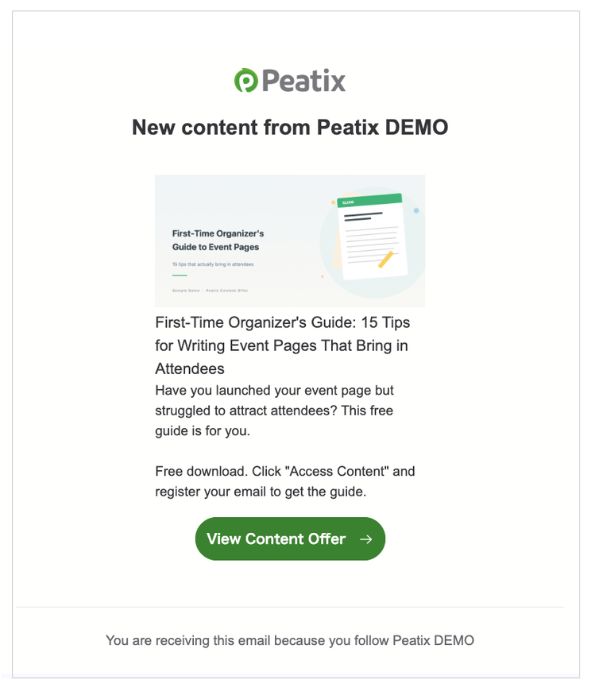
Immediately after a new Content Offer Page is published, a "new Content Offer Page publication notification email" is sent to followers.
This email cannot be customized. If you wish to send customized notifications to your followers, please use the message function.
<Dos and Don'ts>
To avoid sending errors, please be careful of the following points.
When publishing multiple Content Offer Pages at the same time, do not use multiple browser tabs or windows, but publish one Content Offer Page at a time in the same tab.
When publishing multiple Content Offer Pages at the same time in a group with many followers (more than 100), please leave an interval of about 15 minutes.
<Note>
The notification email is sent only once, when the Content Offer Page is published for the first time. No notification email will be sent when re-publishing a Content Offer Page after hiding it.
If you have a large number of followers, there may be a time lag before the email is sent, and some followers may receive the email several hours later.
If some followers do not receive the email, it may be due to a problem with the inbox capacity of the follower in question, or the email may have been sorted into the spam folder.
If multiple Content Offer Pages are published in one day, the second and subsequent emails will not be sent immediately, but will be published together in the next day's email.