

As an organizer, you can remove a subscriber and cancel their subscription plan.
When the removal is complete, the plan is canceled immediately. We recommend contacting the subscriber in advance.
*Please note that this feature is for organizers only and is not available to co-organizers. For more information, see "What can co-organizers do?".
How to remove a subscriber
1. Select the group containing the subscriber you want to remove, then click "Subscription plans".
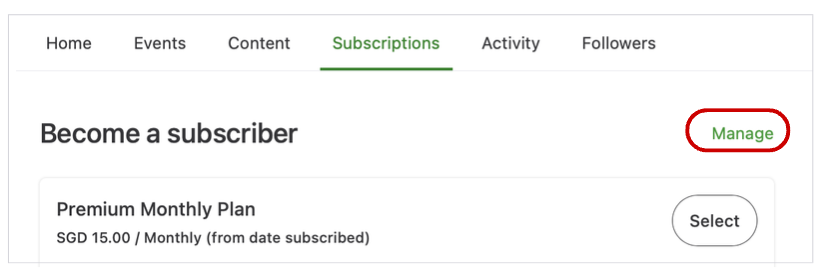
2. Click "Manage" on the right to display the list of plans.
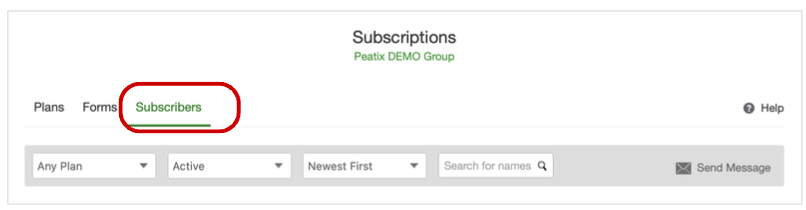
3. Click "Subscribers" to display the list of subscribers.
4. Click "Remove subscriber" for the subscriber you want to remove.
5. A confirmation screen appears. Click "Remove subscriber".
6. A confirmation message appears, and the removal is complete.
A subscription plan cancellation notice email will be sent to the subscriber.
Notes:
- When the removal is complete, the plan is canceled immediately.
- Even if there is remaining time on the subscription, Peatix does not issue refunds to subscribers.
- If you want the subscription to remain active until the next billing date, please ask the subscriber to cancel the plan themselves.