

Disabling a subscription plan stops the plan from accepting new subscriptions.
Disabling a plan does not cancel existing subscribers' subscriptions. They will continue to be charged. To stop charging existing subscribers, remove them individually from the subscribers list page.
*Please note that this feature is for organizers only and is not available to co-organizers. For more information, see "What can co-organizers do?".
How to disable a plan
1. Select the group containing the plan you want to disable, then click "Subscription plans".
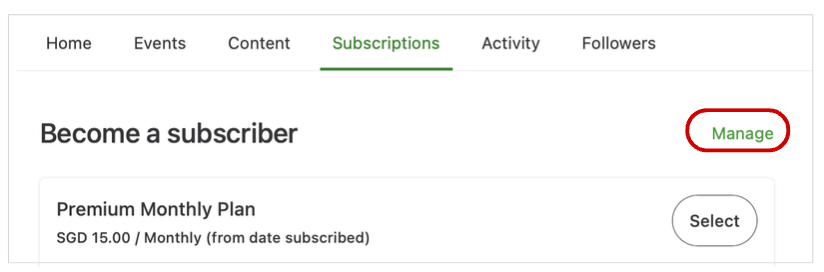
2. Click "Manage" on the right to display the list of plans.
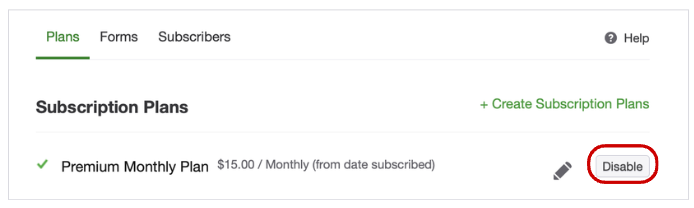
3. Click "Disable" for the subscription plan you want to disable.
4. A confirmation screen appears. Click "Stop new subscribers".