Post-event reactions allow attendees to send a reaction stamp and an optional message to the organizer for 24 hours after the event ends. Attendees can send them right from the event page or from an email, so you can easily get a sense of how your event was received once it's over.
*The post-event reactions feature is only available for events held in Japan.
Setting up post-event reactions
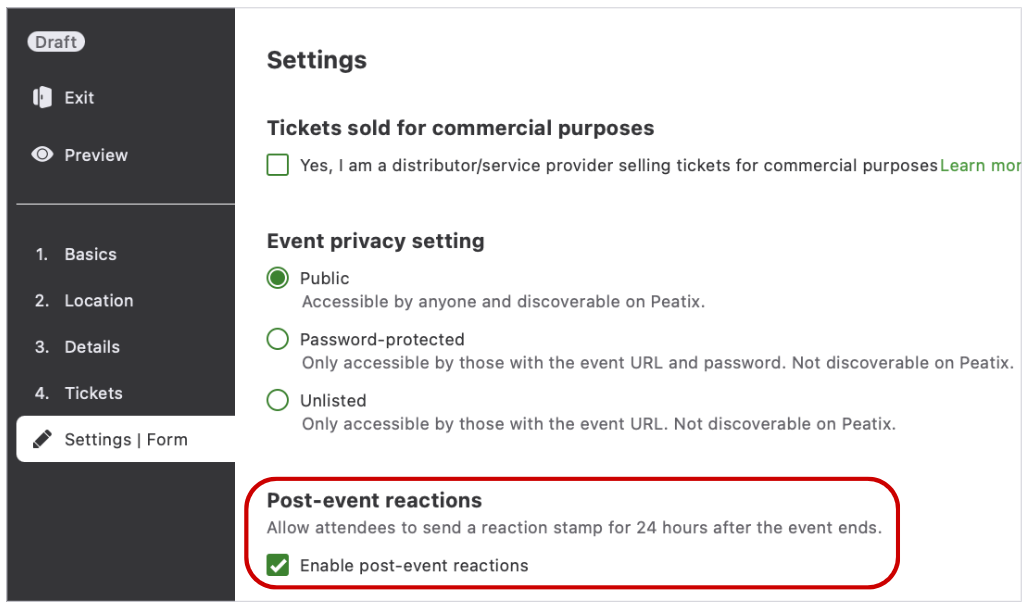
You can set this up in the "5. Settings | Form" step when you create or edit your event. Under "Post-event reactions", select the "Enable post-event reactions" checkbox to start receiving reaction stamps and messages from attendees after your event ends.
*You can uncheck the box even after your event has ended. Attendees will no longer be able to send reactions, but the reactions you've already received will remain in your Event dashboard.
Checking the reactions you've received
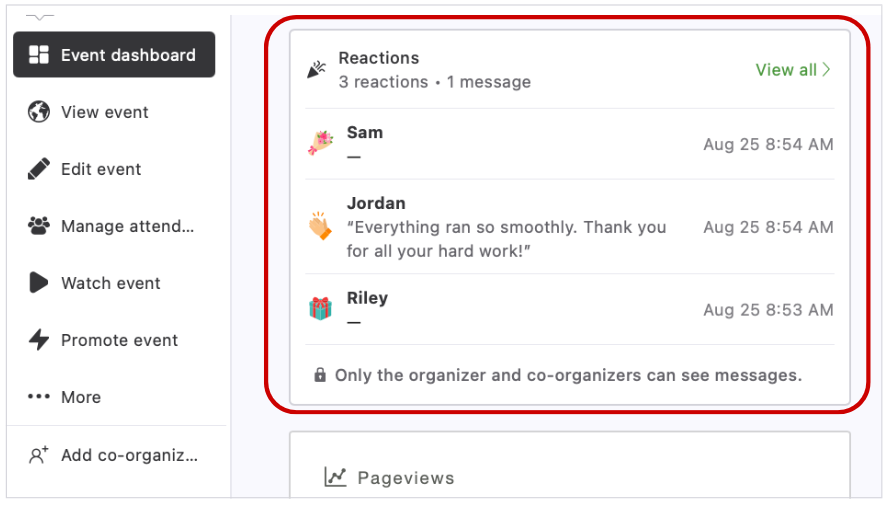
You can view the reactions you've received in the "Reactions" section of your Event dashboard.
When you receive a new reaction, you'll also be notified in the once-a-day group activity email.
*You can change whether you receive this email at any time under "Notification Settings" > "Group activity" in your account settings.
How attendees send a reaction
For 24 hours after the event ends, attendees can open the sending screen from either of the following:
- The reaction banner shown only to attendees on the event page
- The email sent to attendees
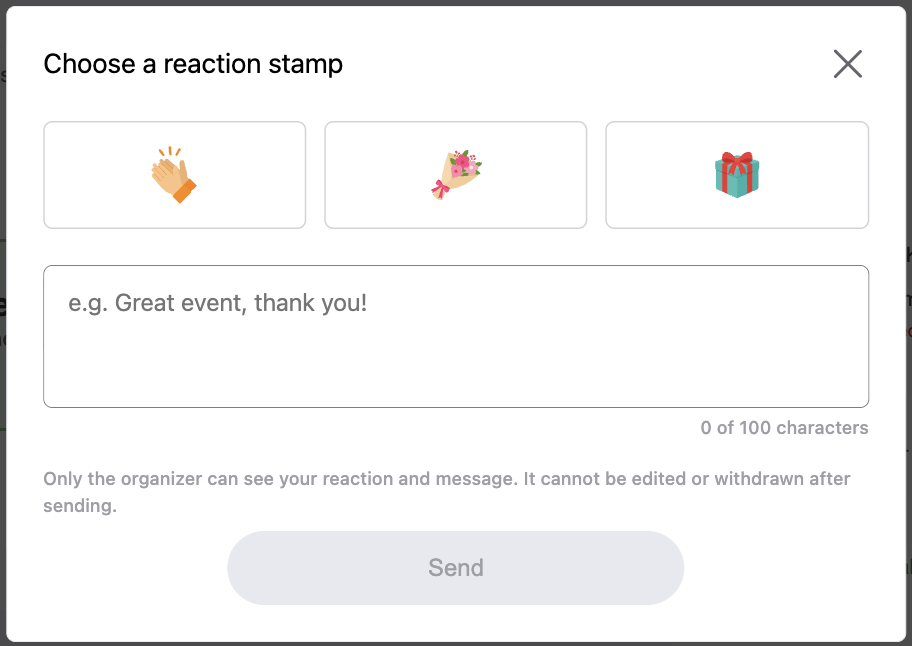
On the sending screen, they choose a reaction stamp, add a message if they'd like (up to 100 characters), and send it.
*Attendees cannot view, edit, or withdraw a reaction once it has been sent.