If you want to manage events with multiple users, we recommend adding users as co-organizers.
You can add a maximum of 2 users as co-organizer.
Co-organizer permissions
Co-organizers of a group are users who will be able to edit the group and its event pages, access sales and attendee information, and manage ticket sales. Please see What can co-organizers do? to check what co-organizers can and cannot do.
Co-organizers will be granted limited shared access to your group and events, hence please ensure this is a party you trust before assigning the role.
How to add co-organizers
1. Inform the user(s) who you want to add as co-organizer(s) to follow the group. To do this, share your group URL with the people you want to add as co-organizer. They can become followers of the group by clicking the "Follow" button near the top of the group page. To follow the group, they will first need to create a Peatix account or log in to their Peatix account.
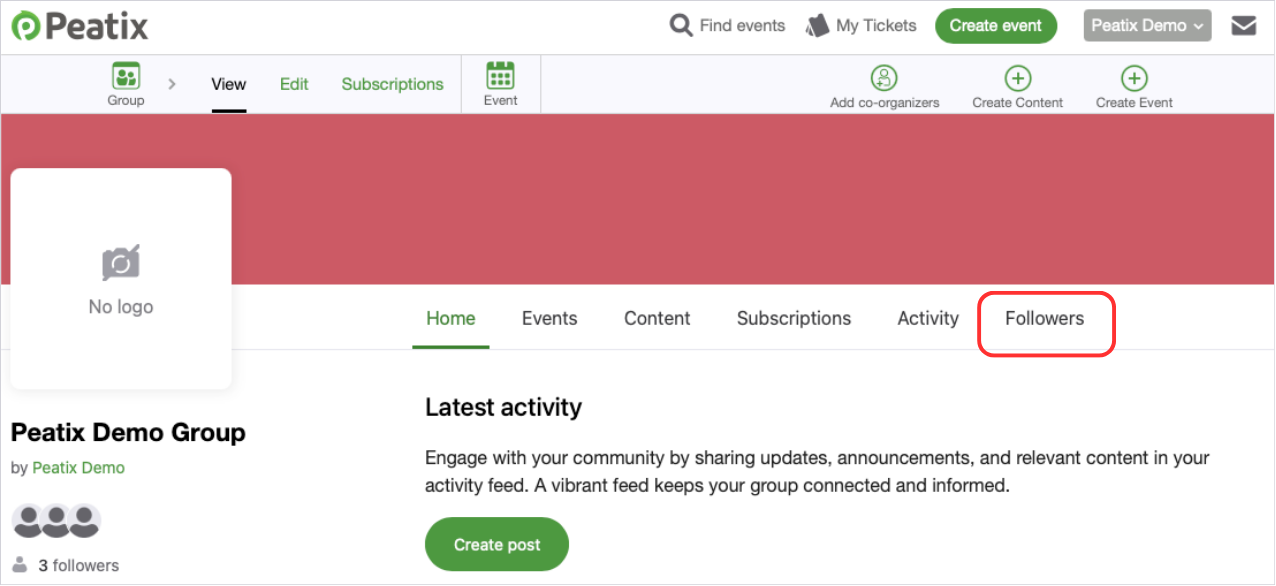
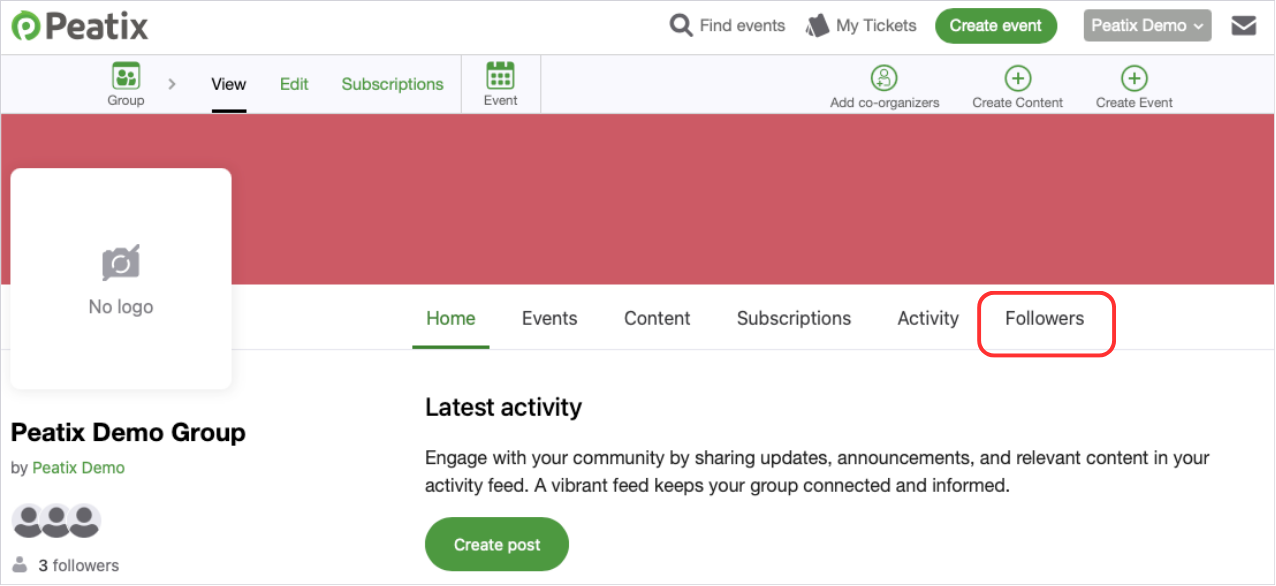
2. Go to the relevant group page and click the “Followers.”
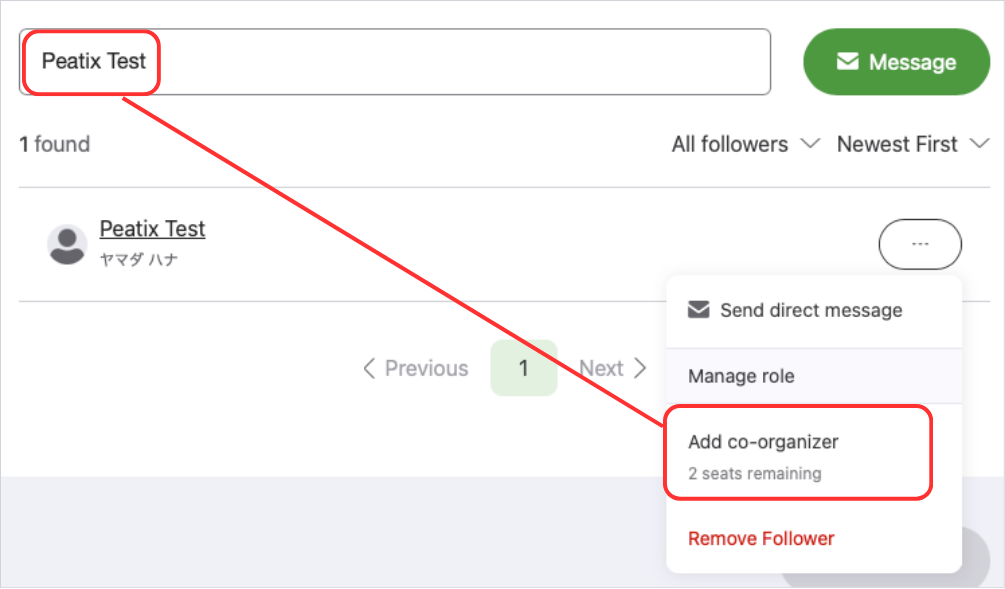
3. From the follower list, search for the account nickname of the user you wish to add as co-organizer. Once you find the user, click [•••] and select “Add co-organizer”. Please make sure that you are adding the correct user.
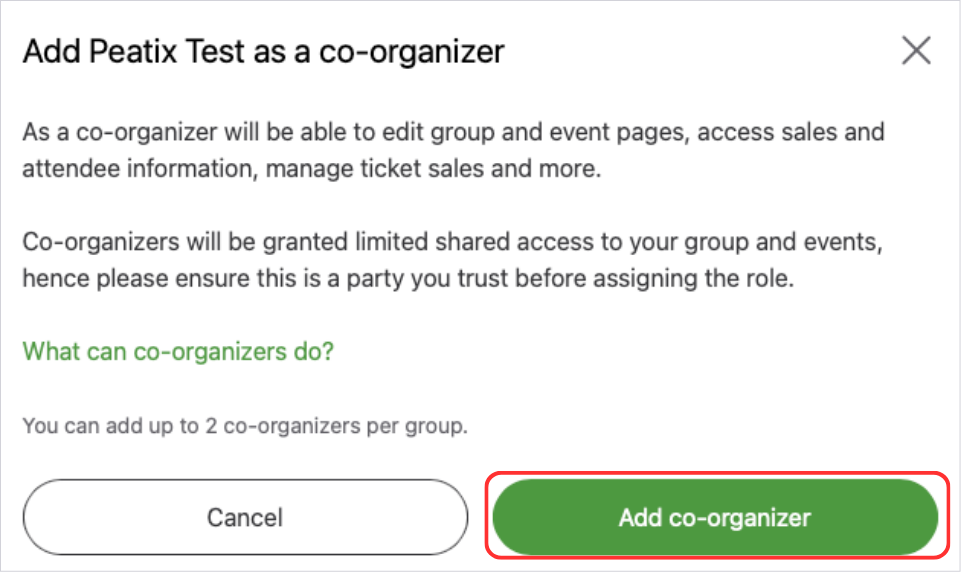
4. When the pop-up appears, click “Add co-organizer.”
After adding a user as co-organizer, the user will receive a notification email at their registered email address. For details, please visit I have been added as co-organizer. How can I manage the group/events?
How to remove co-organizers
1. Go to the relevant group page and click the “Followers.”
2. In the Follower list, select “Co-organizers” to show only current co-organizers. You can also search by account display name.
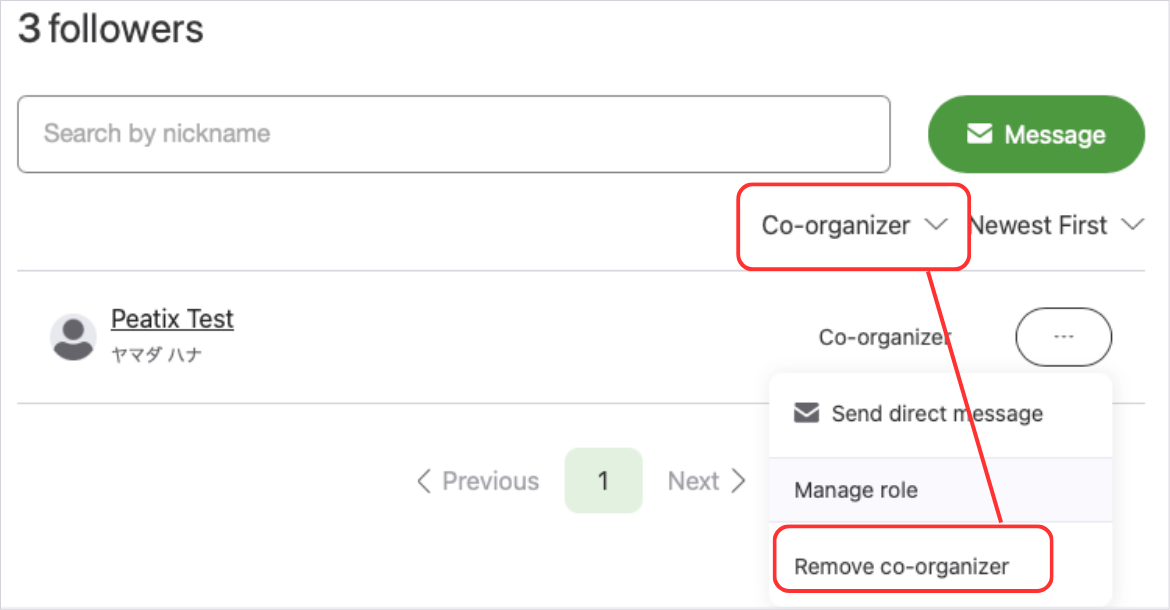
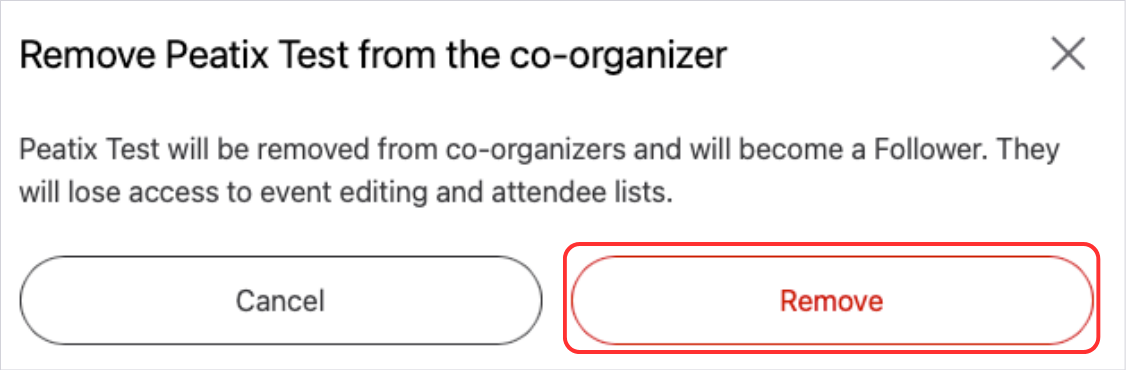
3. When the pop-up appears, click “Remove.”